

Authorized domains
The scope is the list of hostnames that the agents can test. No other setting adds hostnames to the scope. On each run, the agents do not test a hostname that is outside the scope. An authorized domain is a domain where an organization admin enabled offensive testing.Why authorization is a separate step
Tolmo builds your domain inventory from these sources:- Your cloud DNS.
- Your connected providers.
- Certificate transparency logs.
Enable offensive testing
Enable offensive testing on each hostname that you want the agents to test. To include all hostnames in a domain, include all subdomains. Only organization admins can enable or disable offensive testing. Tolmo records the admin who enabled it. Tolmo also records the version of the testing terms that the admin accepted.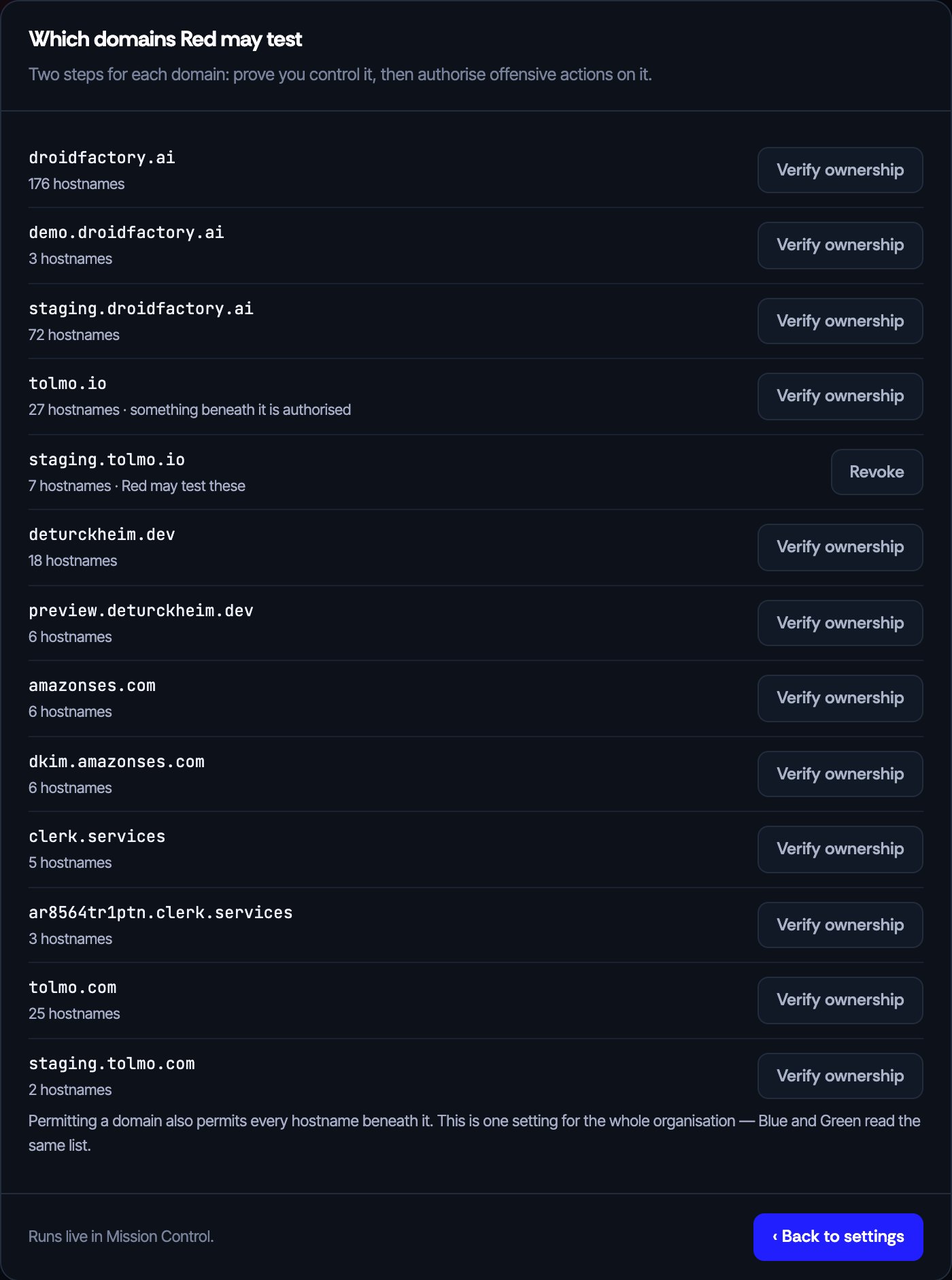
The domains that the agents can test. Each row shows the number of known hostnames that it includes.
What an entry includes
If you include all subdomains, the entry includes the domain and all hostnames in it. For example, you enable offensive testing onstaging.example.com and include its subdomains. The entry then includes api.staging.example.com. It also includes each hostname that appears in staging.example.com later. Thus, the next run tests a new service that you deploy there.
A new apex domain is not in scope until you enable offensive testing on it.
Disable testing
When you disable offensive testing on a hostname, the change applies immediately. The agents read the list each time they start work. Thus, the next run or retest does not test that hostname.This list is the same for the whole organization. Red, Blue, and Green all read it. If the target of a finding is outside the list, the finding waits with the state No permitted domain. The finding waits until you enable offensive testing on its domain.
Give the agents test accounts
Without credentials, the agents test only what an anonymous visitor can reach. Most serious issues are behind a login. Thus, test accounts change the results of the agents more than all other settings. Each test account has a login method:
You can add notes to an account. Use the notes to tell the agents the purpose of the account and when to use it. The agents read the notes. The notes also appear in exploit traces.
You can give each account a role, such as
admin or member. Give the agents two accounts with different roles. Then the agents can test for privilege escalation.
Some accounts sign in with one-time codes. For these accounts, add the Authenticator seed. The agents use the seed to make each six-digit code when they need it. The agents do not need a phone or an authenticator app.
Use the recommended emails
Tolmo gives you recommended emails. These are email addresses that Tolmo controls. Use these addresses to register your test accounts in your app. Then the agents can receive sign-up emails and one-time-code emails without your help. Use the first two addresses for usual tests. Use the other two addresses for isolation tests and privilege tests. For example, an isolation test makes sure that one user cannot read the data of a different user.Manage accounts from the CLI
Leave instructions for the agents
Other instructions are notes that the agents read on each run. Write these notes:- How to reach the app, such as the start URL or the sign-up steps.
- Which areas to avoid, such as a payment flow that makes real charges.
Allow or block state-changing requests
Allow state-changing requests controls whether the Red team agent can sendPUT, PATCH, and DELETE requests to your authorized domains. For example, with these requests the agent can edit a cart or delete a record that it created.
When the setting is off, Tolmo tells the agent not to change your data. The agent can still make harmless changes to its own test account. It can also change the records that it created.
Check that you are ready
Red can run when both of these conditions are true:- You connected an integration that Red can scan.
- You enabled offensive testing on at least one domain.
Next steps
Safety and authorization
What the agents do and do not do in production.
Keep up with production changes
Set the schedule and the triggers.