

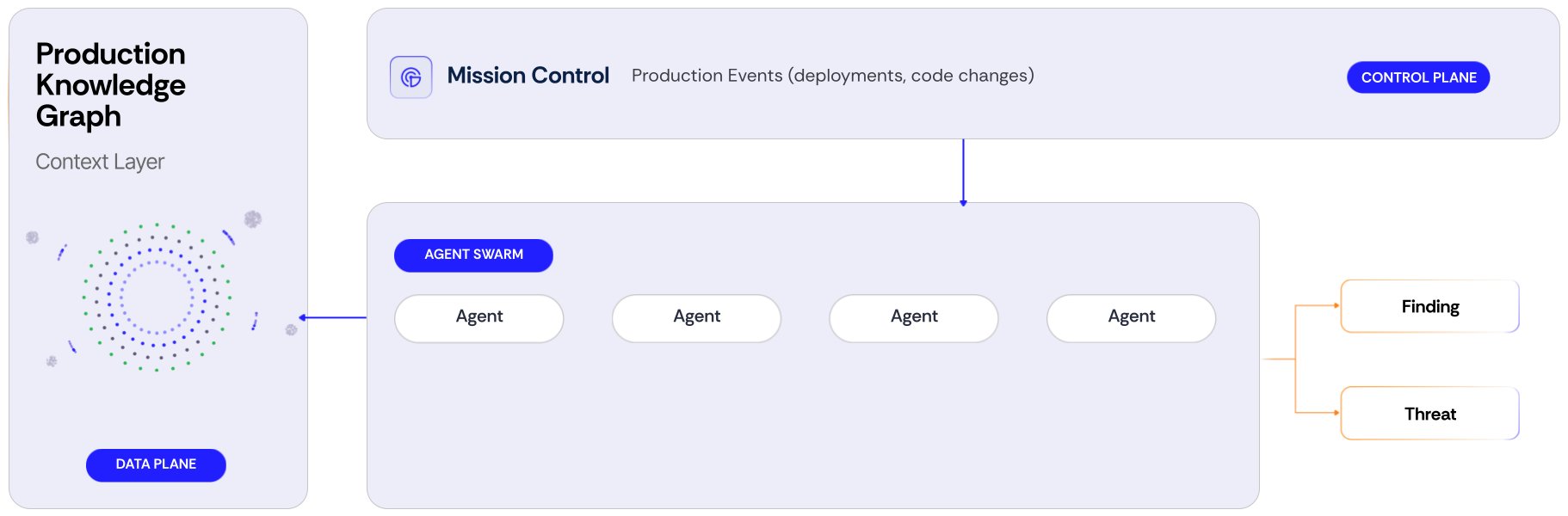
The Tolmo platform. Mission Control receives production events and sends work to the agents. The agents read the production knowledge graph and produce findings.
Mission Control: the loop in one view
Mission Control is the place where you monitor Tolmo. It shows three things:- The changes in production. Each new finding, security alert, code event, CI event, or cloud resource change appears as an event when it occurs.
- The agents that act on each change. Each event shows the agents that examine it, and if they are done.
- The result of each run. Agent Runs keeps the history of all Red, Blue, and Green runs, with the trigger, the status, and the result.
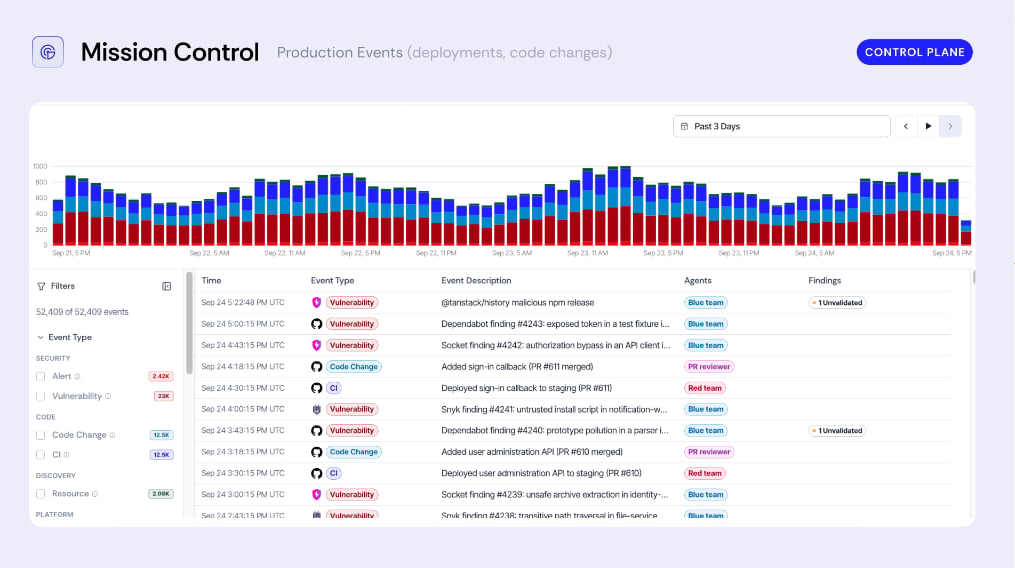
Mission Control. The histogram shows production events over time. Each row shows one event, the agents that work on it, and its findings.
Mission Control and agent runs
Filter the activity feed, examine a run, and read run history from the CLI.
Watch
You connect your cloud, code, observability, and security accounts. Tolmo crawls these accounts and builds the production knowledge graph. The graph shows your assets and the connections between them. Your assets include:- Domains and hosts
- Applications and HTTP endpoints
- Datastores and cloud resources
Test
The Red team agent tests your authorized domains the way an outside attacker does. An authorized domain is a domain that has offensive testing enabled. Tolmo starts a Red run on your daily or weekly schedule. You can also start a run at any time. Each Red run reads the current graph. Thus, the next run tests all new hosts and endpoints under an authorized domain. The Blue team agent examines findings from your other security tools, for example Wiz or Snyk. When a finding arrives, Blue tries to exploit it. Blue examines only the findings that match your severity and origin rules. Each Red and Blue run appears in Mission Control while it runs, and stays in Agent Runs after it ends. Keep up with production changes shows which agent reacts to each type of change, and how quickly.Prove
A verifier exploits each issue again against the live target. The verifier keeps the request and the response that exploited the issue. Only then does Tolmo mark the finding as validated. Sometimes the agents cannot decide if an issue is real. In this case, Tolmo holds the issue as Needs review. A person on your team makes the decision. See Understand a finding.Fix
Each finding includes these items:- What happened, and why it is important
- The evidence
- A recommended fix